
If you’re a musician who streams live, you probably use StreamerSongList. It’s an incredible resource for publishing your songlist and allowing viewers to request songs live. However, you’ll also know the Streamersonglist overlay situation is a bit basic. You can create overlays and customise them but it’s a fiddly process and most streamer’s song queue overlays look pretty much the same. One thing that’s always been missing is a way to include album artwork for each song.
I built something to fix that. It’s called StreamerSongList Art Fetcher, and it finds the album artwork for whatever song you’re playing and puts it on your overlay, automatically, in real time.
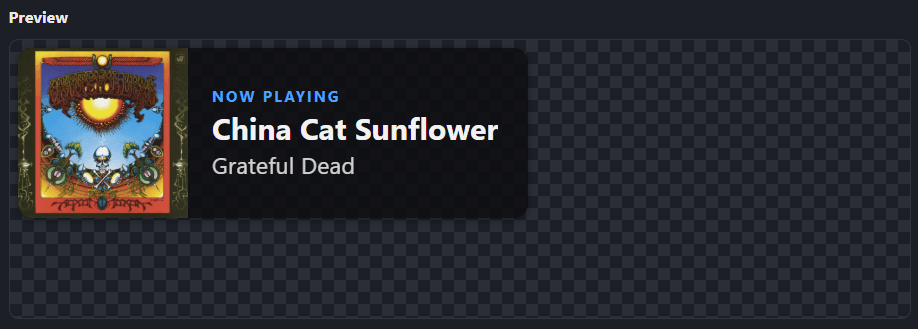
The problem with StreamerSongList overlays
StreamerSongList is fantastic, but the overlays don’t have a way of showing the album art. Sure, you can use CSS to add images per “attribute” but it’s a bit messy if you’re not au fait with that kind of techie stuff. (See my guide on on adding artwork with CSS attributes).
So most streamers go without artwork and don’t even think about it. You could in theory spend hours manually screenshotting album covers and dropping them into OBS by hand, but nobody has time for that.
What it actually does
Here’s how simple the Songlist Art Fetcher is.
- Tell it your username and click connect – it grabs your song list automatically.
- Click the “bulk propose artwork” button – it goes through your list, and searches for artwork for every song.
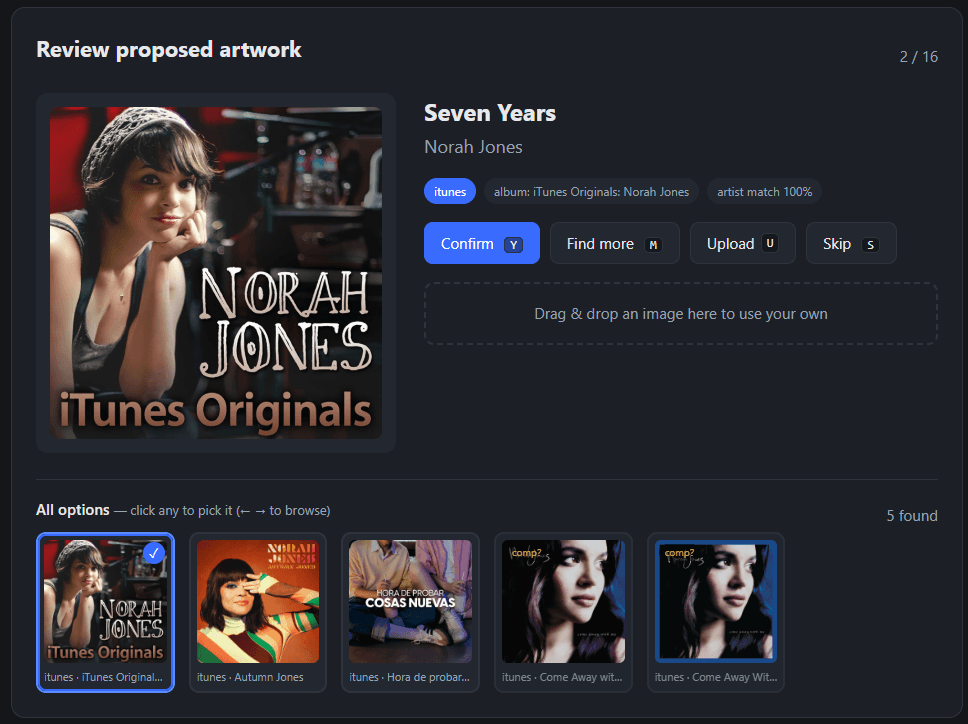
- Allows you to review and approve the artwork for each song.
- Upload your own art if it can’t find anything.
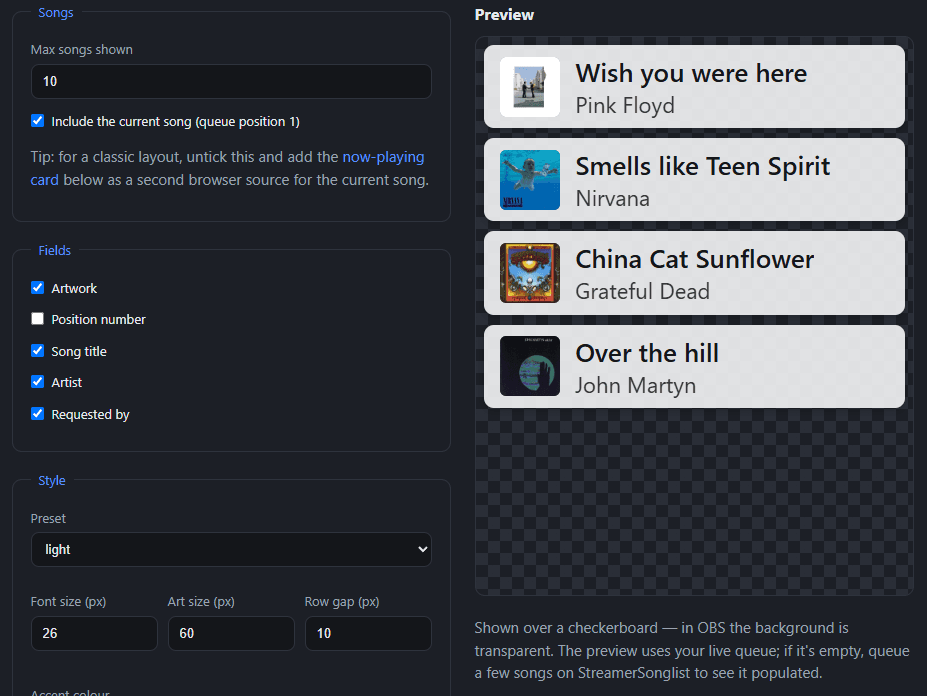
- Build 2 overlays – one for the “current song” and another for the “song queue”
- These are served as live overlay URLs to paste into your OBS.
- It polls Streamersonglist every 10 seconds. The overlays are updated with your chosen artwork accordingly.
- When you add new songs to your list, re-sync and approve art for each new song.
You build up a library of artwork for your songs, once, using a simple review tool. For each song it searches iTunes, and if that comes up empty it tries Last.fm and MusicBrainz too. You get shown the candidates and just confirm, reject, or upload your own image if none of them are right. Keyboard shortcuts make it quick to get through a big songlist.
Once that library exists, the artwork just follows your stream. Whatever you’re playing, the correct cover appears on your overlay. No more manual swapping mid-set.
So you will quickly build up a library of artwork for your songs, using the very simple review tool. You get shown the candidates and just confirm, reject, or upload your own image if none of them are right. Keyboard shortcuts make it quick to get through a big songlist.
Once that library exists, the artwork just follows your stream. Whatever you’re playing, the correct cover appears on your overlay.
A few things that matter if you’ve dealt with overlay tools before.
It’s free. No subscription, no paywall.
It’s customisable. Image size, a perspective reflection effect, fallback art for your own originals, whatever suits your layout.
It handles songs it’s never seen before. If something new comes up mid-stream that isn’t in your library yet, it grabs a best guess live so your overlay isn’t left blank, then flags it for you to check afterwards.
Your own tracks stay clean. You can mark your own artist name so your originals show a fallback image instead of the tool searching for cover art that might not exist e.g in iTunes.
Why I built it
I stream original songs and covers on Twitch and YouTube, and I wanted my Now Playing overlay to actually look like something, rather than a text box on a plain background. Once I had it working for my own setlist, it made sense to build it properly so other StreamerSongList musicians could use it too.
FAQ
Does it work with YouTube streams as well as Twitch?
Yes. The overlay is just a browser source URL, so it works wherever you can add one — Twitch, YouTube, or both at once if you’re multistreaming.
Do I need to know how to code to set it up?
No. You enter your StreamerSongList username, click connect, and the tool pulls your song list in. No CSS, no manual file editing.
Where does the artwork come from?
It searches album art databases automatically and shows you the results to approve. If nothing turns up, you can upload your own image.
What happens if I play a song that’s not in my library yet?
It grabs a best-guess cover live so the overlay isn’t blank, then flags that song so you can check or fix it after the stream.
Does it cost anything?
No. It’s free, no subscription, no ads, no paywall.
Can I change how the overlay looks?
Yes. Image size, a perspective reflection effect, and a few preset styles are all adjustable to fit your layout.
Want it?
Version 1 is out now on Github
https://github.com/deadhead1971/streamersonglist-album-art-overlay
If you use StreamerSongList overlays and you’d like a better Now Playing overlay and/or Song Queue overlay with real album artwork, give it a go.
Leave a comment to let me know what you think of it
How to install and setup
I made a video showing you how to install and set this up. Hope this helps.
Leave a comment to let me know what you think of it.
Leave a Reply